
Zoom LiveTrak L12next is the next generation of its 12-channel digital mixer and recorder, now with 32-bit float and more.
Zoom has achieved a big success with the compact LiveTrak L-6 and L6max digital mixers and recorders. No wonder, it’s a product many have been asking for. And at a very affordable price. The L6 has been a permanent part of my hybrid live setup for a few months now. My best purchase this year.
Just before the end of the year, Zoom unveiled the LiveTrak L12next, the next generation of the L12 digital mixer and recorder—one of the flagship versions of this series.
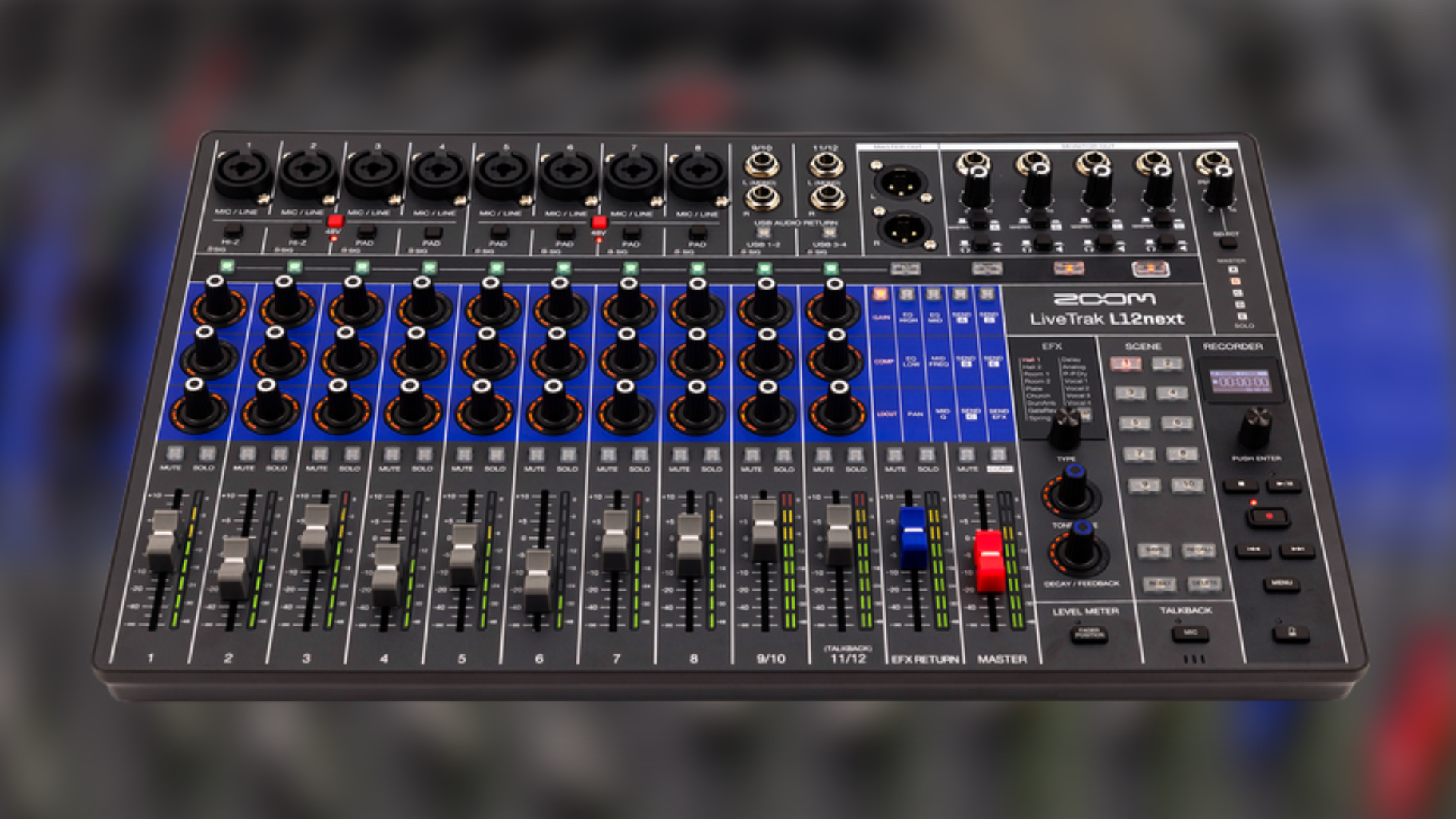
Zoom LiveTrak L12next
LiveTrak L12next is a new 12-channel digital mixer and 14-track multi-track recorder. It gives you the same number of channels (8 mono and two stereo) as the original L-12 mixer.
The new Zoom LiveTrak L12next can record up to 14 tracks simultaneously, with up to 24-bit/96 kHz on individual tracks and 32-bit float/96 kHz on the master track. It’s a shame that 32-bit float isn’t available on the individual channels.
On the connection side, it has eight combo XLR jacks with upgraded mic preamps with clean gain (+70dB) and low noise (–128 dBu EIN).
Channels 1-4 and 5-8 also feature 48V phantom power. Hi-Z connectivity is available on channels 1 and 2, and the remaining channels have a 26dB pad.
There are two XLR main outputs and five 1/4-inch monitor outputs, four switchable between stereo/headphone or mono/line for stage monitors with dedicated level controls. So every musician has their own personal mix during live performances.
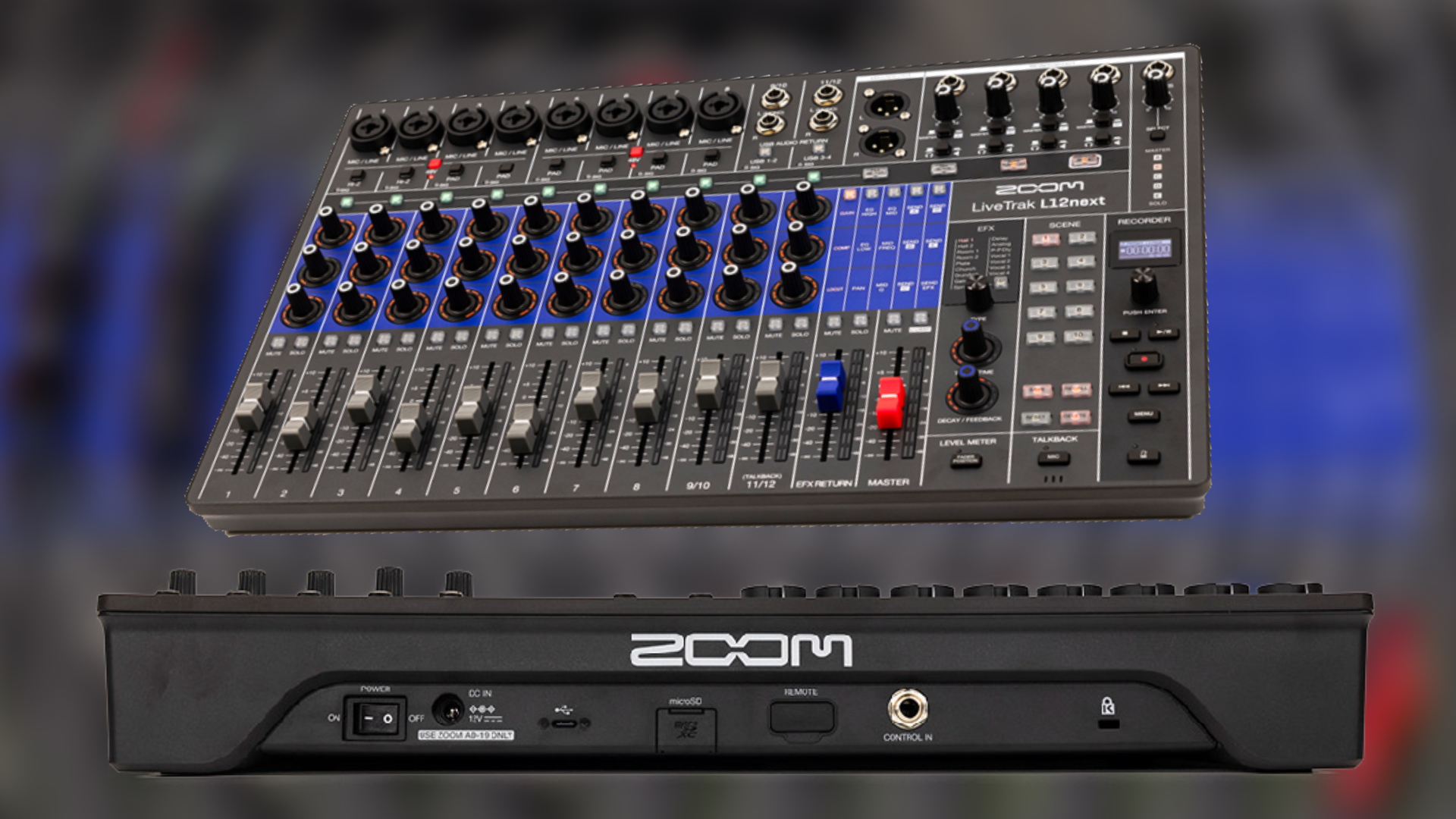
Each channel features three multi-function encoder knobs for accessing the gain, compression, lowcut, high/mid/low EQ, pan, and sends settings. Plus, LED meters per channel show you the volume level and settings of each encoder.
Yes, each channel also features a built-in compressor. Plus, each channel has a mute and solo button.
Creative Mixing & Flexible Recording
For creative use or to polish your tracks, the LiveTrak L12next also features 16 built-in delay and reverb effects with adjustable parameters and a master compressor.
All these functions, as well as recording, are managed via a menu accessible via a new OLED display.
The new Zoom LiveTrak L12next stores up to 10 scene memories, saving your fader positions, EQ, pan, mutes, and effects. This allows you to instantly recall mixes for live performances or recording in the studio.
A new fader position button lets you quickly view saved folder positions when recalling scenes. Also new is a built-in talkback microphone.

Like the other LiveTrak mixers, you can record into the hardware. Alternatively, you can use the L12next as a class-compliant 14-in/4-out USB audio interface and capture your performances on your computer or mobile device (iOS/Android).
Also onboard is a new overdub mode and auto punch-in/out features for precise layering and easy re-recording. With the dedicated L12next control app, you can also wirelessly control the mixer’s and recorder’s features.
It also features a microSD card slot that supports up to 1TB SDHC or SDXC cards, class 10 or higher. Furthermore, it is compatible with the Zoom FS01 footswitch’s functions. Neat, it is also rack mountable with the optional RKL-12 adapter.
First Impression
A nice update to the original L-12 digital mixer and recorder, with significant improvements. 32-bit is now included, finally, but it’s a shame it’s only for the master track.
If you need more tracks and monitor outputs than the L-6 or L6max allows, this could be the right choice.
Zoom LiveTrak L12next will be available in Q1 2026 for $699.
More information here: Zoom

I’d like to know how the mixer functions as a DAW controller. What does the MIDI spec look like for this? Faders and knobs? Also, is it possible to use the mix outputs as effects sends instead?
it’s not a DAW controller. It works as an audio interface but not DAW controller
In there online press it says it can also work as a daw controller
It appears the effects send bus only works with the internal effects; there is no external send/return supported. Am I understanding that correctly from the information you received and presented?
I have never used the l6 or 12 but I would like to try it before I buy it ?