
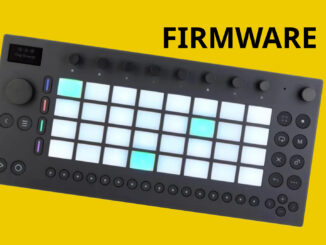
Move Everything is an open framework for Ableton Move that turns it into an open platform with more synths, FX, and new workflow features.
With the Move, Ableton takes a different approach than with its Push 3 standalone device. It’s more compact and functions more as a sketchbox than a full-fledged groovebox. It also has a significantly reduced feature set compared to the Push 3.
However, the latest updates have significantly enhanced the functionality, including the long-awaited audio tracks. If that’s not enough features for you, you can check out the Move Everything firmware. This turns the Ableton Move into an open platform.

Move Everything
Like the Push 3 Standalone, the Ableton Move is based on a Linux foundation with an embedded closed platform based on the Live ingredients.
The open-source Move Everything firmware by developer Charles Vestal changes that, making it an open-source platform that feels like a modular OS. According to the developer, it’s an unofficial framework for running custom instruments, effects, and controllers on Ableton Live.
The developer played it cleverly. Instead of replacing the firmware and risking crashing the device, it adds a Shadow UI that runs alongside stock Move, enabling additional synths, FX, and other tools to run in parallel to the usual UI.
Even though this project modifies software on your Ableton Live, you can restore it normally, as the framework runs alongside it. Installation is very easy, and any Move user can do it. No programming knowledge is required.
However, it remains crucial to create backups and know your recovery options. Move Everything is an unofficial hack without manufacturer support.
New Instruments & FXs
The highlight of the Move Everything framework is its ease of installing new instruments and effects. These instruments can be installed. Many of them are familiar and already exist in other projects.
- Braids (Mutable Instruments macro oscillator) (not Plaits)
- DX7 (Dexed synth based on the Yamaha DX-7 FM Synthesizer)
- Hera (Roland Juno-60 emulation)
- JV-880 (Roland JV-880 emulation)
- RaffoSynth (synth with Moog Ladder filter)
- OB-Xd (Oberheim OB-X emulation)
- SF2 (SoundFont Synthesizer)
- Surge XT hybrid Synthesizer
Part of this is a module called the CLAP plugin host, which allows you to host Linux CLAP plugins.
Then, you can also add new effects like the Cloudseed (algorithmic reverb), Junologue Chorus (Juno-60 chorus), NAM (Neural Amp Modeler), Space Delay (RE-201 Tape Delay), Tapescam (Tape Saturation), and more.
Alongside this, there are different overtakes/utilities available, including a four-track recorder, the Dirtywave M8 Launchpad Pro emulator, and the SIDaster III controller.
Accessibility, More Features & Workflow
Part of the Move Everything hack is expanding the sound tools to include more instruments and effects. Secondly, the hack also adds accessibility and workflow features that were not previously part of Ableton Move.
For example, it optionally integrates a screen reader directly onto the device. This makes Ableton Move the first fully standalone groovebox with genuine support for blind and visually impaired musicians.
It reads out controls via text-to-speech and allows adjustments to speed, pitch, and volume. All of this happens on the device without any extra tools. That’s a big thing to me, opening it up to more musicians.
This allows blind people also to use the Move and its sketchbook music-making concept to make music. It’s strange that Ableton itself didn’t think of this before.
Further, it comes with a built-in radio (Radio Garden plugin) with various international stations that you can sample from within the device. Plus, there is a quantized sampler and a skipback function that writes the last 30 seconds of audio, and more.
First Impression
A super exciting, open-source project that puts the Ableton Move in a different light. I would now be interested in how Ableton responds to the project and whether it inspires them to make the OS more open.
Move Everything is available now as a free download from GitHub. It runs in the Shadow Mode besides the official firmware.
More information here: GitHub
Available from my partner
Thomann

Be the first to comment