
Akai MPC & Force 3.6 firmware update is out now with project time signature support, a new drum articulation engine, new MPC Pro Pack plugins, and more.
Akai today introduced the new MPC Live III, featuring more power, enhanced hands-on control, and innovative 3D sensing technology on the pads.
Alongside this new hardware release, Akai also published the MPC & Force 3.6 update, which includes significant new features and improvements. Additionally, a new MPC Pro Pack is available with new plugins.
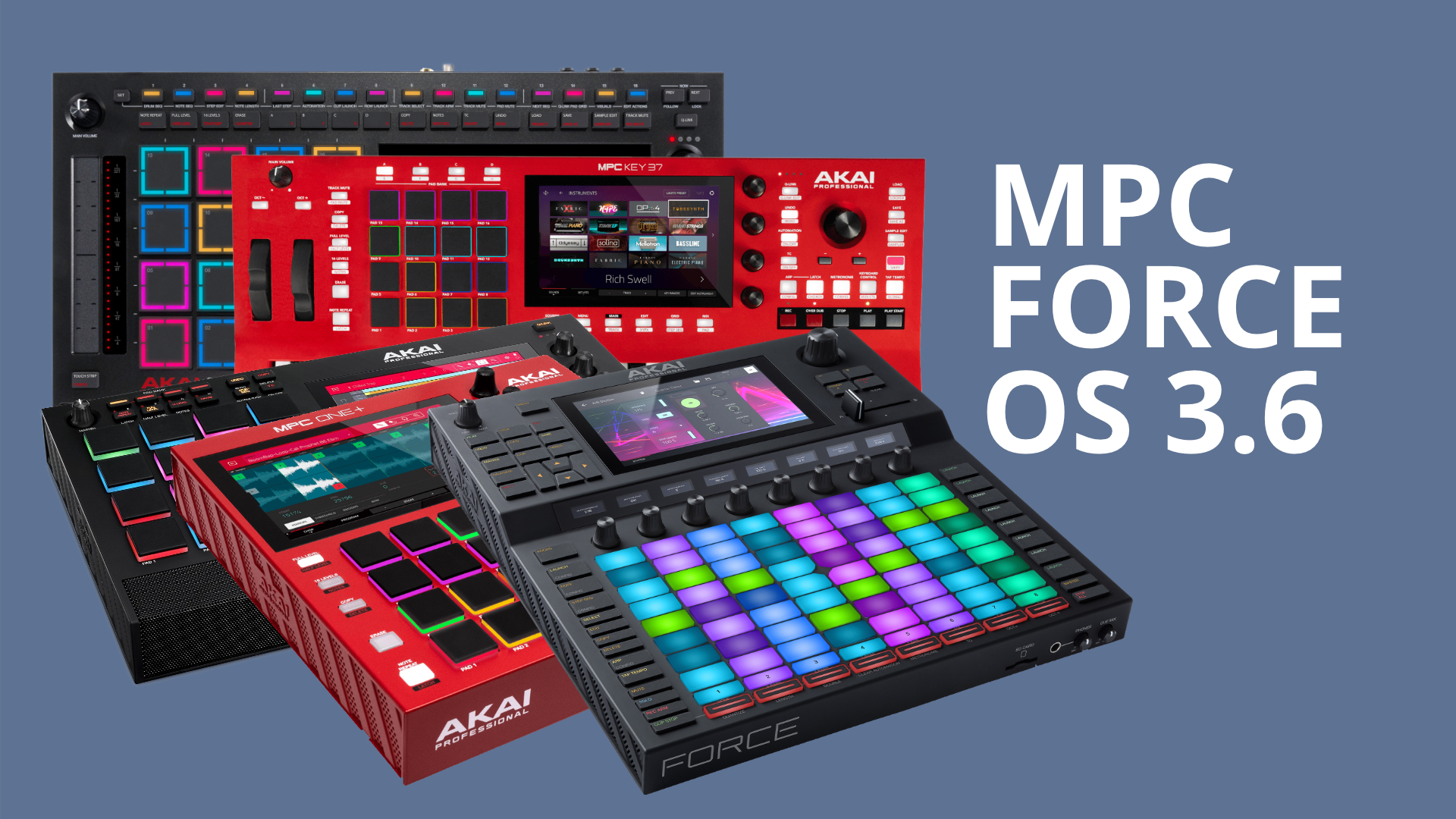
Akai MPC & Force 3.6
The new MPC & Force 3.6 update is now available, introducing numerous new features that further advance the groove workstations. Important Note: There are features available at no charge, as well as those exclusive to the MPC Pro Pack. Let’s start with the free additions.
A notable new feature is the ability to adjust the time signature of your MPC project to suit your creative needs. Choose your desired signature from the new pop-up to apply it to the entire project.
Akai MPC & Force 3.6 introduces a new drum articulation engine, allowing you to access typical drum articulations and rudiments. You can assign articulations, such as flams, paradiddles, and dynamic drum phrases, to individual pads.
You can trigger and record different articulations using the 16 Level button. Then, the drum tracks now feature a comprehensive 32-cell modulation matrix, offering extensive routing options for complex modulation setups.
In the new 3.6 OS update, you can also explore a new Layer Play Offset parameter. It lets you shift a framed sampled window across the sample without altering its relative position. You can set this frame with the start, end, and loop points.
Once you set the frame, you can use the new features to move that window to different “time” positions within the sample. You can also assign modulation to the Layer Play Offset to dynamically vary the start/end/loop position each time the pad is triggered.

Crossfading Sample Layers & More Modulation
Another significant new feature is the ability to crossfade between sample layers in the drum and keygroup tracks. You can manually crossfade or use modulation (envelopes, LFOs) for wave-sequencing or vector-synthesis-like effects.
Layer crossfading is also now available for advanced keygroup tracks. You can smoothly blend between sample layers or create wave sequencing-style effects.
Then, the new Akai MPC & Force 3.6 update introduces new drum modulation sources. LFO 1 now has more parameters while LFO 2 adds a second LFO to drum programs.
The new Note Counter Modulation enables stepped modulation, such as alternating pan positions for different voices. There are also two ramps, modulation, and global and per-voice drift LFOs for subtle detuning for natural variation.
Additionally, you can now input automation bounded by the length of a step.
New MIDI Functionality
The new Akai MPC & Force 3.6 update also introduces new MIDI functionality.
You can now configure individual pads within a drum track to send specific MIDI notes for triggering external gear, lightning, or video systems. Another significant new MIDI feature is the capability for full per-event channel recording and routing.
This includes:
- Per-Event MIDI Channel Recording Incoming MIDI events now store their original channel (1–16) in the sequencer, allowing more expressive and accurate MIDI performances—especially when using multitimbral instruments.
- MIDI Input Channel Selection – each track now offers an input filter
- MIDI output channel modes: each track’s MIDI output now supports: o Channel 1–16
- step Recording with Channel Support Step-entered notes now retain the MIDI channel from the input event
- List Editor now shows the channel of the recorded events.
Plus, there are many minor improvements.

MPC Pro Pack
Alongside the new MPC Force 3.6, Akai also released the MPC Pro Pack, a premium package featuring new features and plugins, available for free with the MPC Live III. Non-Live III users can purchase the bundle.
A highlight is the new MPC Clip Launching functionality. It adds matrix and clip edit modes, follow actions, and row launch tempo and snapshots. Plus, you get seamless import from Ableton Live for greater flexibility.
The MPC Pro Pack also brings expanded control for modular and CV-based setups, making it possible to integrate your MPC with more external gear. Part of this is also the introduction of new modulators, including envelope followers and LFO functionality.
Also new is a Super Warp algorithm that adds improved time-stretching for high-quality pitch and tempo changes. The MPC 3 Pro Pack also includes four AIR plugins: Fabric Select, Visual EQ4, Reverb Pro, and Utility.
Akai MPC Force 3.6 Update First Impression
Another major free update for the MPC and Force Groove workstations. Especially, the sample crossfading feature and the time signature features are great additions. I find it a shame that more and more features are disappearing behind a paywall.
Akai MPC & Force 3.6 update is available now as a free download for existing hardware users. The new MPC 3 Pro Pack is now available for an introductory price of $99, down from $199, and it’s free for MPC Live III users.
More information here: Akai Pro


So the Force was released with a half finished feature set which limited the CV ability of the unit. Akai finally releases 3.6 skipping over the 3.5 beta and then has the nerve to charge 99.99 for features that should have been included on the Force from day one? Way to go Akai..keep churning out half finished products and expect folks to keep paying up front for your beta testing.
A real shame. I took Mpc Live 1, without any connections except midi I/O and paid 1300€ for it when it was new. And then, if I wanted anything other than the classic updates, I had to pay for everything, and the connections could not be expanded at all. I’m just interested in how AKAI is no longer ashamed to throw out half-made products, charge them very expensively, and then charge for every other “PRO” option. Plus on my (and any, for that natter) instrument it says Akai PRO. Who are they screwing anymore, shame!
yeah…
it Sucks..
i don’t Support That.
will Not buy the pro Pack.
Hello,
I have mixed feelings about the Pro Pack for existing MPCs. Because of this compatibility with existing MPCs which must have forced Akai to make choices to maintain compatibility with the old architecture and therefore probably limit optimizations for the new hardware…
I have no mixed feelings. Not anymore. I’m selling my Akai Live 1 because I don’t want ANYTHING more I have no mixed feelings. Not anymore. I am selling my Akai Live 1 because I want NOTHING to do with that company anymore!
i have the update and yet to experience its protential… and we know that anything new always has unforseen issues
but did they fix the bugs?
my STEMS doesn’t work, since day 1.
The clip launching is a game changer for me, I just bought a keys 37 as a work station and its really improved now its more like my Force. My X is a studio brain and its improved its workflow too. Though I think this and the utility plug should’ve been part of a free update as Im installing it in three machines it feels better value for me….paying for plugs is one thing, paying for features not so great