
The new Novation Launch Control 3 MIDI controller gives you the flexibility of the XL 3 in a more compact format with fewer knobs and no faders.
At Superbooth 2025, Novation released the Launch Control XL 3, a major update to its popular MIDI controller. A full review is out now. Alongside this, there was the original Launch Control, released in 2013, a compact version for knob versions.
After a long hiatus, Novation is bringing back the Launch Control in version 3, with the same level of customizability as its big brother.
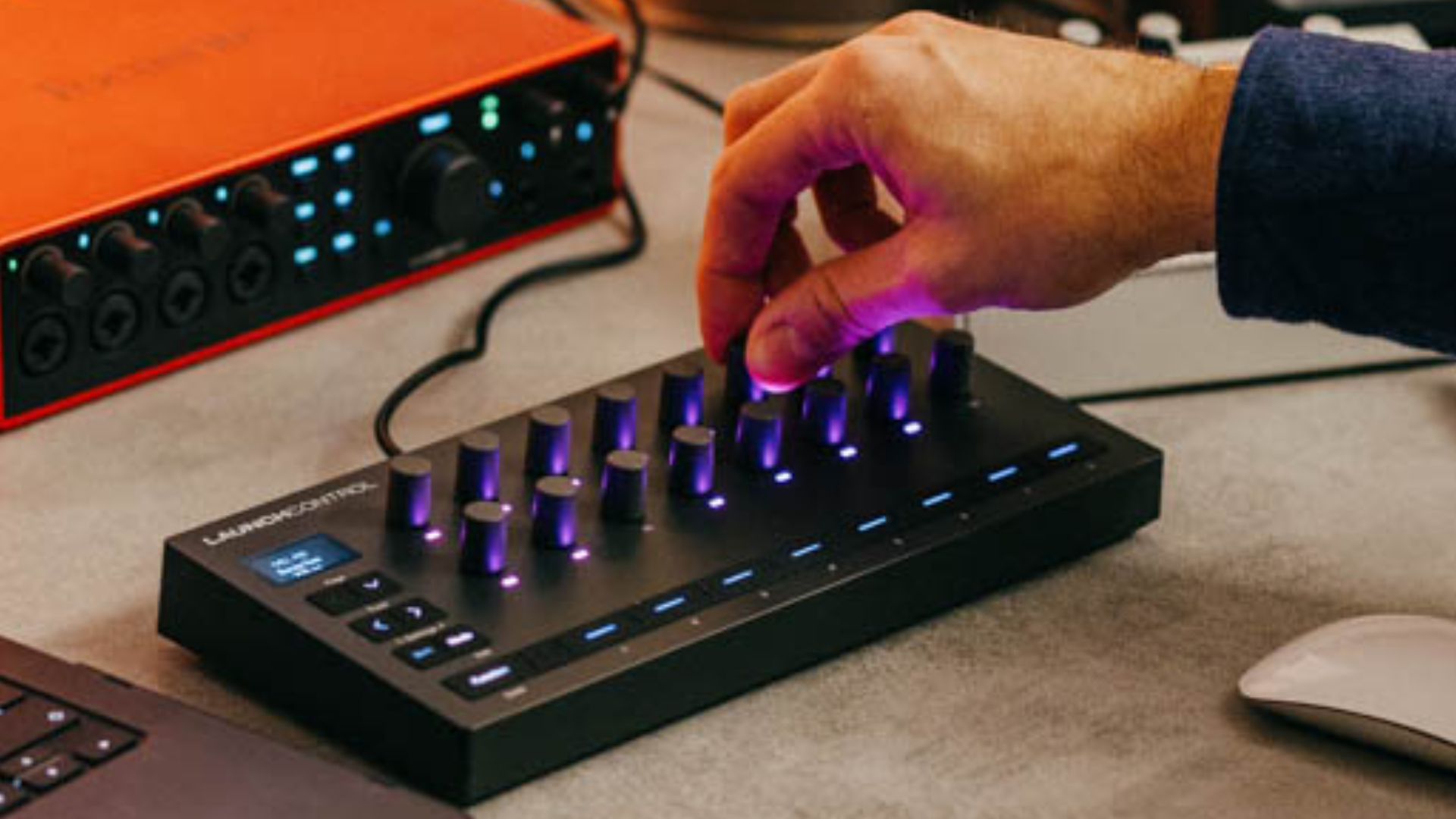
Novation Launch Control 3
The Launch Control 3 is the latest generation of its popular compact MIDI controller. Novation Launch Control 3 is designed to deliver additional hands-on control for DAWs, plugins, and hardware both in the studio and on stage.
As with the Launch Control XL 3, the Launch Control 3 has undergone a complete makeover. Compared to its predecessor, the new version looks more modern, larger, and sleeker.
It features 16 endless rotary encoders with the same characteristics as those in the XL 3 version. They are made of rubber, and each knob has a dedicated, customizable LED.
Then, you have eight assignable buttons and a crisp OLED display, which is sized the same as the display in the XL 3, about the size of a postage stamp. 16 instead of 24 and no faders—that’s how the LC differs from the XL 3 version.

Customizability
A major improvement over the previous version is its integration with Novation Components software, allowing you to customize every knob and button. You can customize the following settings per knob:
- message type (MIDI CC or NRPN)
- MIDI CC number
- min + max values
- MIDI channel
- resolution
- the LED color
The eight buttons have more message types available (MIDI CC, note, program change, NRPN, and keystroke). Plus, you can set the on/off values, behaviour (momentary or toggle), MIDI channel, resolution, and take two colors (main and on).
Once done, you can save the 16 encoder and 8 button settings in up to 7 modes/presets in the hardware. Alternatively, you can save mappings right in the Components software or download them to your computer.
What makes it special is its hybrid nature, in which each knob and mute button can control multiple hardware devices and software in the same mode.
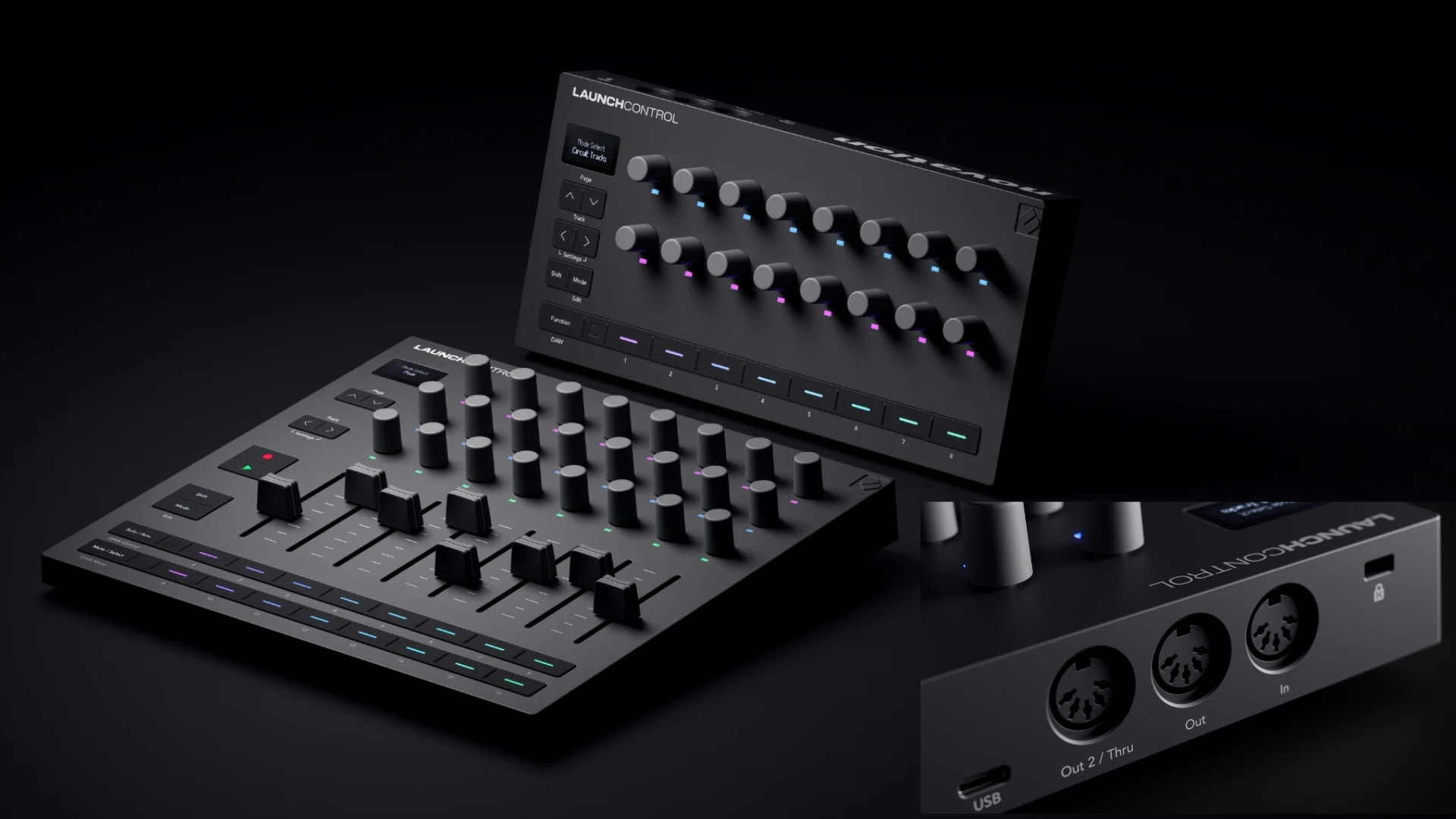
The new Launch Control 3 also offers deep, custom integration with major DAWs, including Ableton Live, Logic Pro, FL Studio, Cubase, and Bitwig. Thanks to Mackie HUI support, you can also use it with Pro Tools and other software.
Connectivity
Looking at the back, there are no differences compared to the XL 3 version. The new Novation Launch Control 3 also features a USB-C port for data and power, and a 5-pin MIDI interface (MIDI in and two MIDI outs, with the second configurable as MIDI thru).
The new MIDI interface now makes the Launch Control 3 a standalone MIDI controller for both hardware and software.
Further, it ships with a software package, including two DAWs: Ableton Live 12 Lite and Cubase LE, as well as plugins: Klevgrand Fosfat (reg. $39,99), Baby Audio Parallel Agressor (reg. $69,99), and Output Movement ($149).
First Impression
My only criticism is the increased price. Where the previous version cost £79.99, the new one costs £129.99, with no additional hardware controls (16 knobs + 8 buttons). I would have preferred 24 knobs. Nevertheless, welcome back!
Novation Launch Control 3 is available now for $169,99, 149€, and £129,99.
More information here: Novation
Available from my partners
Thomann

The price increase isn’t really shocking in this day and age.
I never would have considered the previous iteration which looked and felt pretty tacky imho.
That’s a pretty good redesign and provides value for money for those who need something compact yet can’t afford a Roto Control.
It would also make a good companion to an Ableton Push3, as it’s more compact than the Launchcontrol 3 XL.
Now maybe a PolyAT redesign of the Novation SL MK3, as an SL MK4 with more features might hopefully be in the pipeline…
Are the knobs touch-enabled, like the Ableton Move, where you can just touch it to see what the parameter is on the screen? Or do you have to hold down shift, then turn knob, just to see the parameter? If it’s the latter, I’m out.
no touch-enabled like on the Launch Control XL 3. Also written in the review.
It seems expensive to me (€149) compared to the price of the XL3 (€211) which offers many more features (8 more sliders, 8 more knobs and 8 more buttons), for a reasonable price difference.
It cost only 10 quid more taking inflation into account, so that’s what it cost extra for the little display, I’d say that’s a fair deal!