
Arturia AstroLab 2.0 is a free major update that improves the balance between Stage keyboard and Synthesizer thanks to new synth controls.
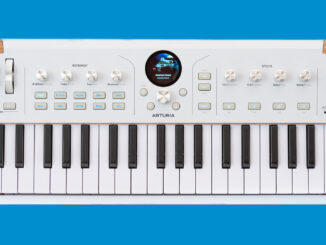
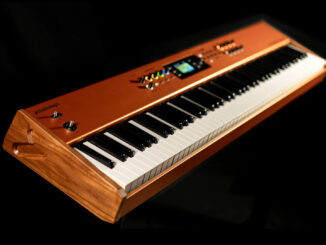
AstroLab is a series of stage keyboards Arturia introduced in 2024, starting with the AstroLab 61 with full keys. It was followed by the AstroLab 88, and finally, the most compact and lightweight model, the AstroLab 37.
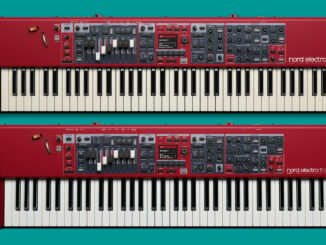
This series is Arturia’s answer to the Roland V-Stage, Nord Electro 7, Hammond SK Pro, and others. These are stage keyboards designed primarily for playing rather than deep sound programming. Arturia has now dropped firmware 2.0 for the AstroLab series, evolving the instrument more into a sound design tool.

What Is AstroLab?
AstroLab is a stage keyboard, available in 37, 61, or 88 keys, but what is a stage keyboard? Well, a stage keyboard is built for live performances, band gigs, and studio work.
A keyboard for every situation. Usually, they are instruments for players rather than for sound programmers.
To cover a wide musical spectrum, this type of instrument often comes with a vast array of sounds. A stage keyboard’s standard repertoire includes pianos, electric pianos, strings, orchestral sounds, and synthesizer sounds—such as basses, leads, and pads.
Arturia has also embraced this recipe for success with the AstroLab. However, unlike their competitors, the French developers leveraged their expertise in software instruments and baked Analog Lab Pro directly into its core.

The result is an original Analog Lab-powered stage keyboard that brings Arturia’s beloved virtual instruments and synth engines into a standalone, computer-free performance instrument.
As in the Analog Lab Pro software, the hardware uses these best-known virtual instruments. You currently have access to sounds from 45 virtual instruments: 44 from the V Collection 11 Pro and the multi-engine synth Pigments.
The front panel features a navigation screen/wheel that lets you scroll through different patches, performances, and more. Eight macro controls let you adjust brightness, timbre, time, and movement, plus dedicated effects.
In-depth programming—like that of a synthesizer—is not possible on the unit itself. To design your own sounds, you need the plugin on your computer. Design your patch, export it to Analog Lab, and then transfer it to the AstroLab memory.
It comes preloaded with 1,300 to 1,800 presets, depending on the chosen model. Sound management is handled via the Analog Lab Pro software on a computer or—thanks to built-in Wi-Fi—directly via a smartphone or tablet.

Arturia AstroLab 2.0
AstroLab is arguably the most powerful multi-engine synth instrument on the market. Virtual analog, wavetable, FM, additive, granular, vector, Lo-Fi, and macro oscillators, plus vintage emulations in a standalone box—everything a Synthesizer enthusiast dreams of every day.
However, he is startled to realize this entire synthesis paradise isn’t fully editable—only with four macro controls and, at best, with additional, not-included software.
When Arturia released the AstroLab in 2024, this information sparked harsh criticism from the synth bubble. That is understandable, given that they’re used to tweaking every single parameter down to the last detail.
However, a stage keyboard player would almost certainly view the instrument differently. With firmware 2.0, however, Arturia is responding to this criticism by expanding the sound design capabilities in the AstroLab series.

Sound Edit
Firmware 2.0 introduces Sound Edit, a new menu layer with parameters available for every instrument. It places each instrument’s actual parameters on the front panel. Not all, but the essentials.
These include oscillators, filters, modulation (such as envelopes and LFOs), effects, and sequencer controls, grouped into pages and tweakable with four macro controls. Arturia has predetermined which parameters are available, and they vary by instrument.
You can access this new section by pressing and holding the main encoder while in the main UI page (AstroLab 37). This opens the settings page, where you can scroll to the new Sound Edit section.

Three Sound Edit Examples
For example, the Mini V4 (Minimoog) patches include four parameter pages: filter controls (cutoff, resonance, feedback, drive), filter envelope, LFO modulation, amp envelope, and other smaller functions.
More advanced synthesizers like MiniFreak V or Pigments offer even more control. However, this depends heavily on which synth engines the patches use, so you’ll find a wide variety of parameters.
The MiniFreak V, on the other hand, is very comprehensive. Here, you get full access to all three main oscillator parameters, the two envelopes, and more. The only big thing missing is the algorithm selection. So basically, you get 95% of the MF V sound engine.
Depending on the engine, Pigments also has quite a few settings to tweak. The synth is massive, so it was to be expected that it wouldn’t cover everything. However, these patches are definitely more fun to use now.

The image shows a Pigments patch with two active wavetable engines. Both engines are tweakable with four parameters: wavetable position, FM, PM, and engine volume. Plus, you have cutoff and resonance, full amp envelope control, and more.
Sound Edit doesn’t open everything, but it does handle some things. Is Astrolab a synthesizer? Yes and no, ok, not a fully-fledged one, but it has evolved more in that direction.
It strikes a good balance between wanting a stage keyboard with performance-ready sounds and wanting the ability to edit those sounds in a good scope.
During testing, I noticed some odd mappings—specifically, that certain sounds within an instrument lacked parameters, while others of the same type had them. Maybe it’s a bug; who knows?
New Sounds & Improvements
In addition to this welcome Sound Edit function, Arturia added several new engine and workflow improvements to the AstroLab.
AstroLab 2.0 brings a new set of lovely sampled instruments, covering piano, brass, strings, and bass – all punchy and gig-ready. For example, it comes with a new acoustic piano (Pure Grand Clean), sampled across eight velocity layers. It also comes with 67 new factory presets to explore.
Firmware 2.0 also includes many audio, performance, and user interface improvements. The sampler and Synthx instrument now benefit from improved polyphony and performances. Plus, sampler voice management now rotates.
It’s a shame that even with firmware 2.0, you still can’t load your own SFZ files into the Astrolab, even though the sampled sounds are based on them. The hardware has plenty of space to store custom ones. I hope this gets added in future updates.
Communication between AstroLab and the computer also benefits from refinements. Updates now work properly, and linking the hardware to Analog Lab Pro plus file transfer works now like a charm.
Other noticeable differences are in the aftertouch. This was improved with firmware 2.0. Finally, if you transpose a sound, the transposition is now visible on the hardware’s octave LEDs.
Arturia AstroLab 2.0 Review
The original idea behind the AstroLab was for it to be a stage keyboard with a big sound catalog rather than a full-fledged Synthesizer offering control over everything.
With firmware 2.0, Arturia is shifting course slightly and giving synth enthusiasts what they’ve been missing. Not the entire catalog, but on a scale that makes the AstroLab more of a Synthesizer than ever before.
A very welcome “synth” upgrade. It is a shame, however, that you still cannot load your own SFZ multisamples. Also, the new V Collection instruments—Memory V and Sub Bass—will be added later.
The new Arturia AstroLab 2.0 firmware is out now as a free update for existing users.
More information here: Arturia
Available from my partners
I’ll bet they thought better release this now before someone hacks the firmware and removes all those limitations. 😛
haha. true 😉
lol It would have only been a matter of time.
Is it the most synthesizest, though? 😉
My dream device would be a desktop version… with MPE support.
That would be amazing. Especially if they add a few more dedicated synth controls
So excited for this! I love the synth sounds on mine, but have been considering selling it because I couldn’t change the sounds easily while playing. I hope it works smooth.
Also curious about the update SynthX performance. That’s my favorite sound recently, but it had a very limited voice count before
Does it come with a microscope for the display or is that a paid accessory?
Unless they have an update that increases the polyphony a fair amount, I’ll be waiting for a mark II, I guess. Would also prefer a slightly more developed UI than the periscope screen concept currently implemented.
But I still like the idea they’re going for here. I’m a big fan of being able to craft patches on my PC and then use them in hardware. It’s one of the best selling points for the Korg MultiPoly, and I’d love to do that with some Pigments patches as well.